June 26, 2026
How to draw and document chemical structures in Confluence
Step-by-step guide to embedding a molecular structure in a Confluence page with the Chemical Structures macro — no SMILES strings, no screenshots from ChemDraw.
The standard workflow for adding a molecule to a Confluence page is to open ChemDraw or MarvinSketch, draw the structure, export as PNG, paste the image, and move on. Two weeks later someone updates the synthesis and the screenshot is wrong — but it still looks authoritative on the page.
Chemical Structures for Confluence replaces that workflow with a macro that stores the actual molecule, not a picture of one. Here’s how to use it.
1. Insert the macro
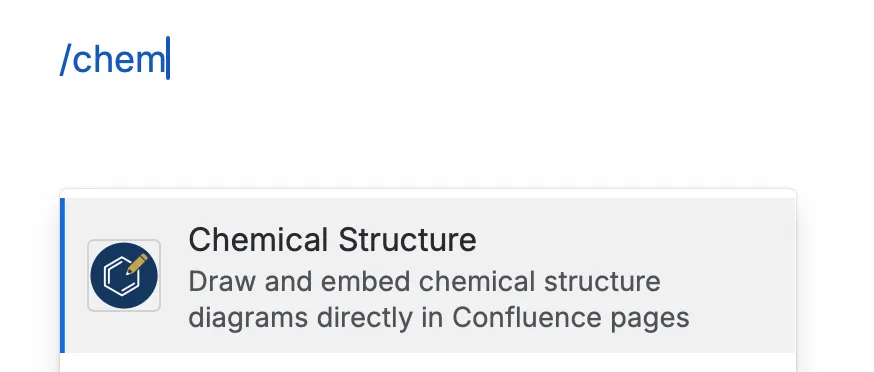
In any Confluence page in edit mode, type /chemistry or /chem. The Chemical
Structures macro appears in the suggestions — select it to open the editor.
2. Draw your structure in Ketcher
The editor embeds Ketcher — the same open-source structure editor used by PubChem. If you’ve used ChemDraw, the controls are immediately familiar:
- Click a bond type in the toolbar, then click the canvas to place it
- Click an atom label to change the element
- Use wedge bonds for stereocenters
- Right-click any atom or bond to access stereo options, charges, and isotope labels
Draw the molecule — aspirin, penicillin, a custom drug candidate, whatever you’re documenting.
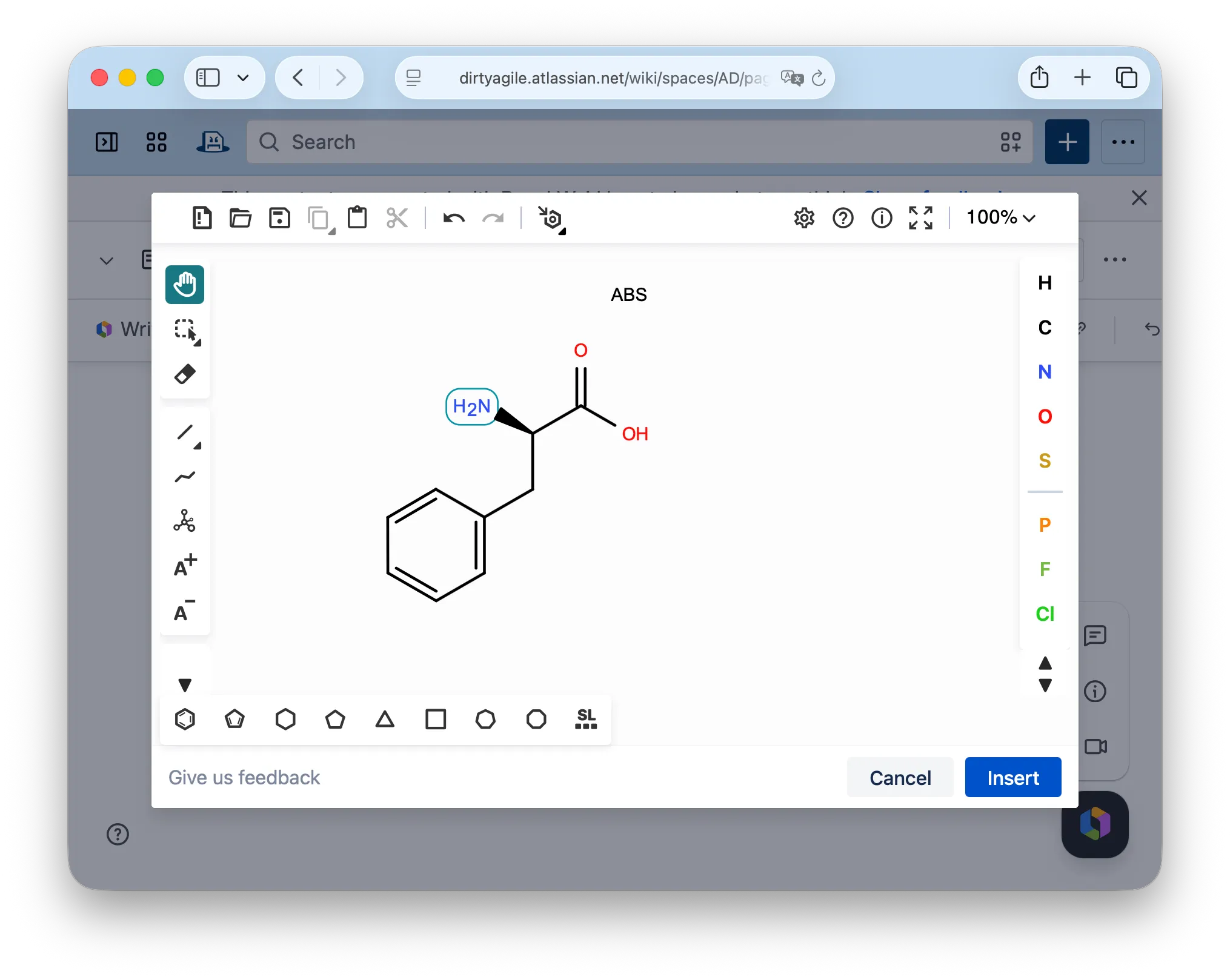
Already have a SMILES string or a Molfile? Use the Import button in the toolbar to paste it directly. Ketcher renders it and converts it to a 2D layout automatically.
3. Save and publish
Click Insert (or Save if editing an existing structure). The editor closes and the page preview shows the rendered structure as a clean vector image. Save the page normally.
4. What viewers see
Anyone viewing the page sees the molecule as a scalable SVG — crisp at any zoom level, readable on mobile, and properly styled in both light and dark mode. No pixelation, no “download the original file to see it” messages.
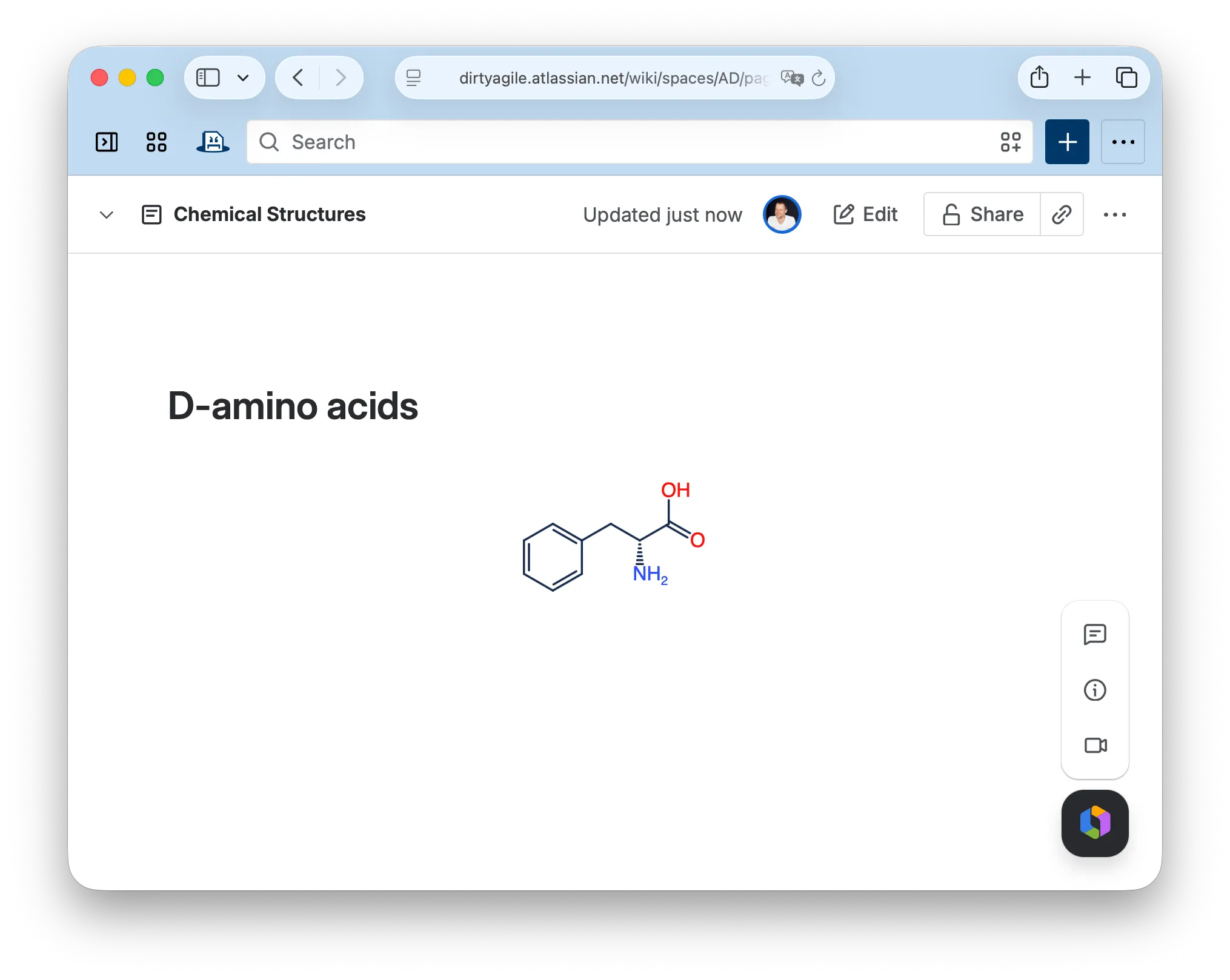
Authors with edit access can click the structure to reopen the full Ketcher editor. No desktop software, no plugin, no file downloads.
5. Export to Word and PDF
When the Confluence page is exported to Word or PDF, the structure renders exactly as it appears on screen — same scale, same layout, same bonds. It doesn’t revert to a broken image reference or a placeholder box.
What gets stored
The macro stores the complete Molfile with 2D coordinates — not a SMILES string, not a lossy image. Stereocenters, chair conformations, wedge bonds, and explicit hydrogens are all preserved. What you drew is what the macro renders, every time.
For pharmaceutical R&D teams: structures stored in Confluence via this macro never leave Atlassian’s infrastructure — the app runs on Atlassian Forge with no third-party chemistry backend. See the product page for details on the data-residency angle.
Try it: Chemical Structures for Confluence.
This post is about
Chemical Structures for Confluence
Draw and embed chemical structures in Confluence with the Ketcher editor.