Database Schema Diagram for Confluence
The Confluence macro that turns a SQL file into a live, interactive ERD — or lets you draw one from scratch in seconds.
Other teams keep their DB schemas in draw.io files that go stale
the moment a migration runs. Database Schema Diagram reads your SQL
directly — paste a
pg_dump,
get a diagram. No manual boxes.
Draw it. Don't describe it.
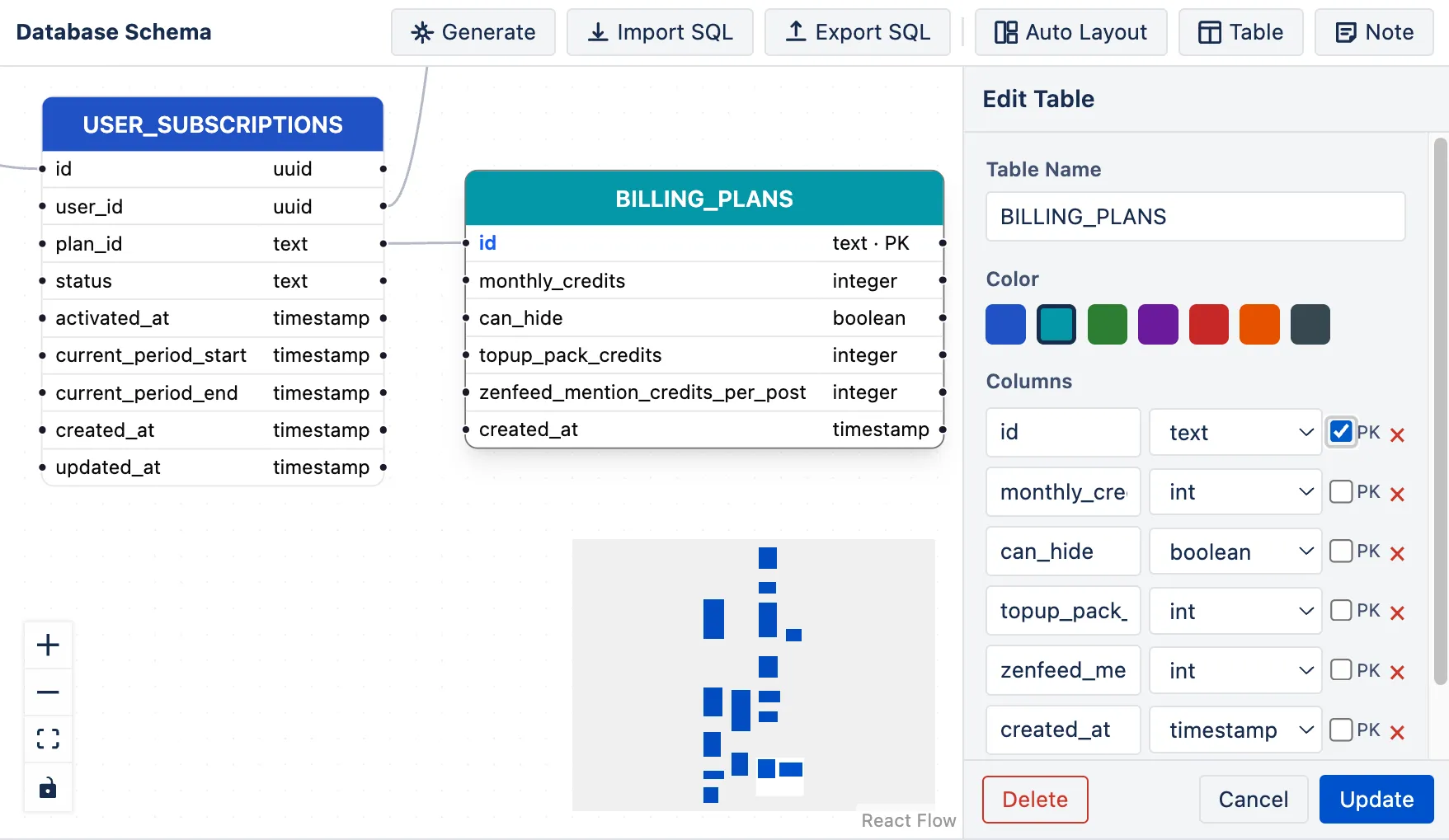
Click a table to edit. Drag to rearrange. Connect handles to draw FK arrows.
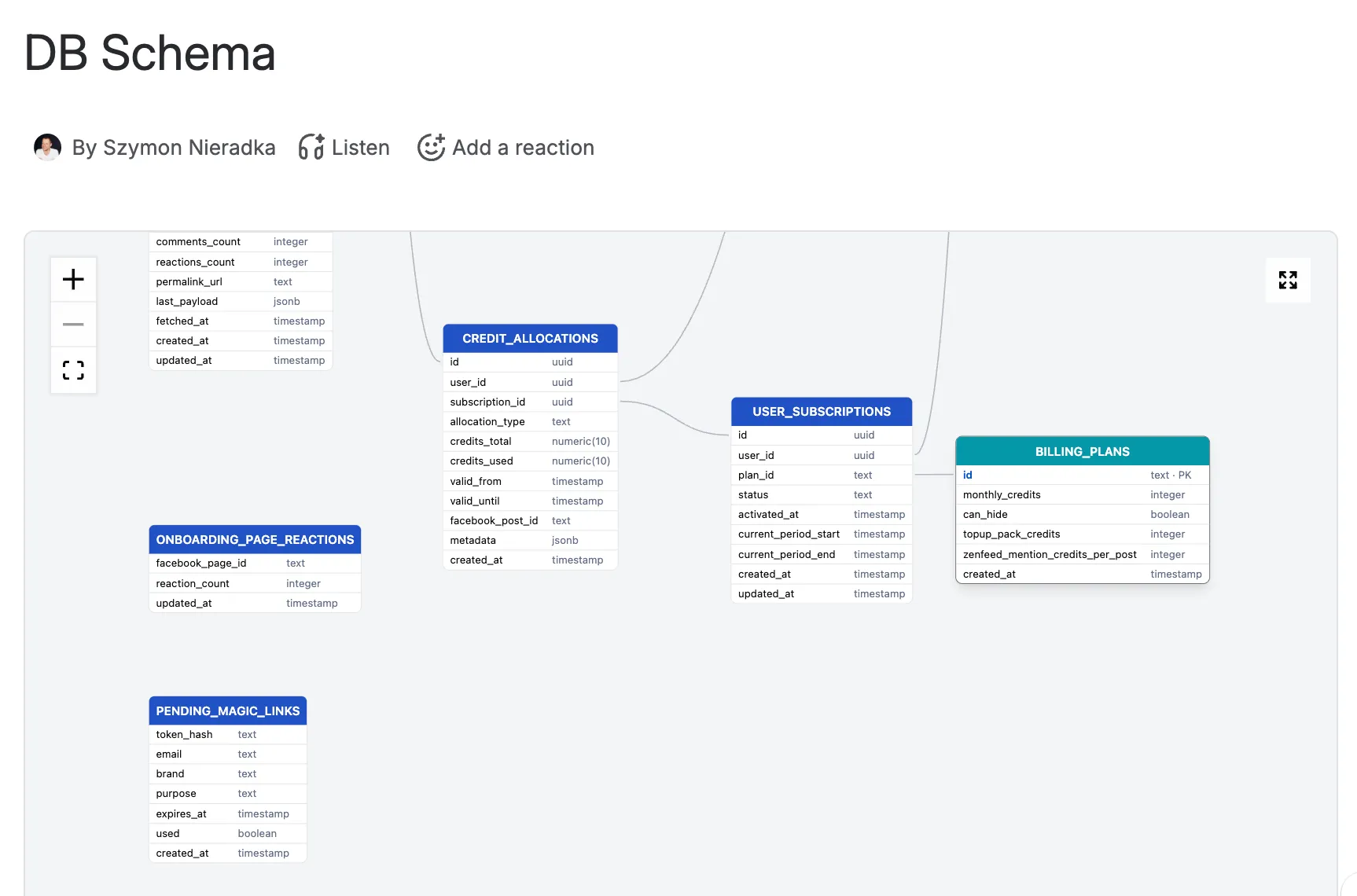
Database Schema Diagram puts a React Flow canvas directly in Confluence's config dialog. Tables are draggable nodes. Columns live inside each node with names, types, and a PK toggle. You connect tables by dragging from any column handle to another table.
Auto-layout arranges everything with one click. Color-code tables by domain — auth, billing, events. Add sticky notes to annotate subsystems. Every change shows live on the canvas before you save.
SQL in, diagram out
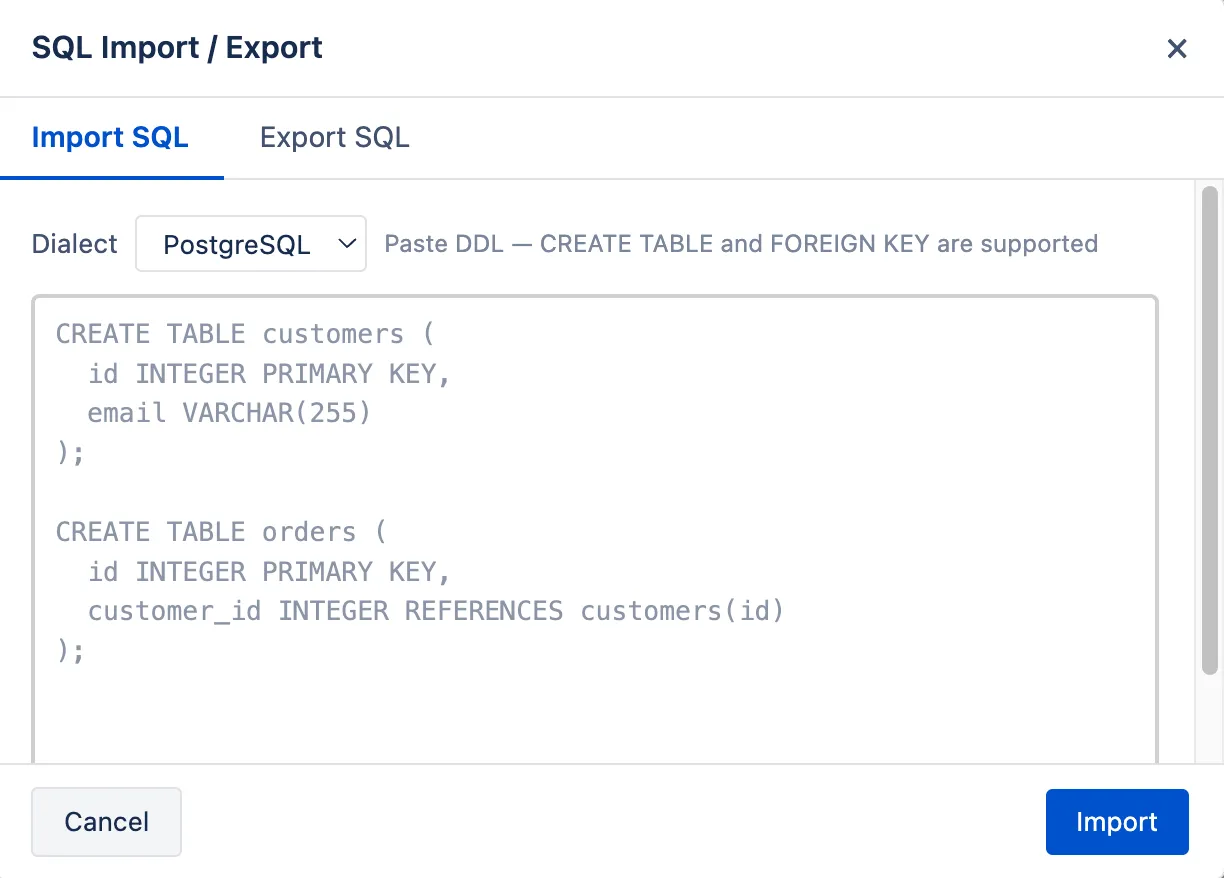
Paste any CREATE TABLE statement — or a full
pg_dump — directly into the editor. The macro parses
foreign key references, builds the nodes, and draws the
arrows.
Export goes the other way too. Every diagram can be exported back to PostgreSQL, MySQL, or SQLite DDL. Your schema lives in Confluence and stays in sync with your migrations.
Supported formats: PostgreSQL, MySQL, SQLite.
Describe your domain. Get a schema.
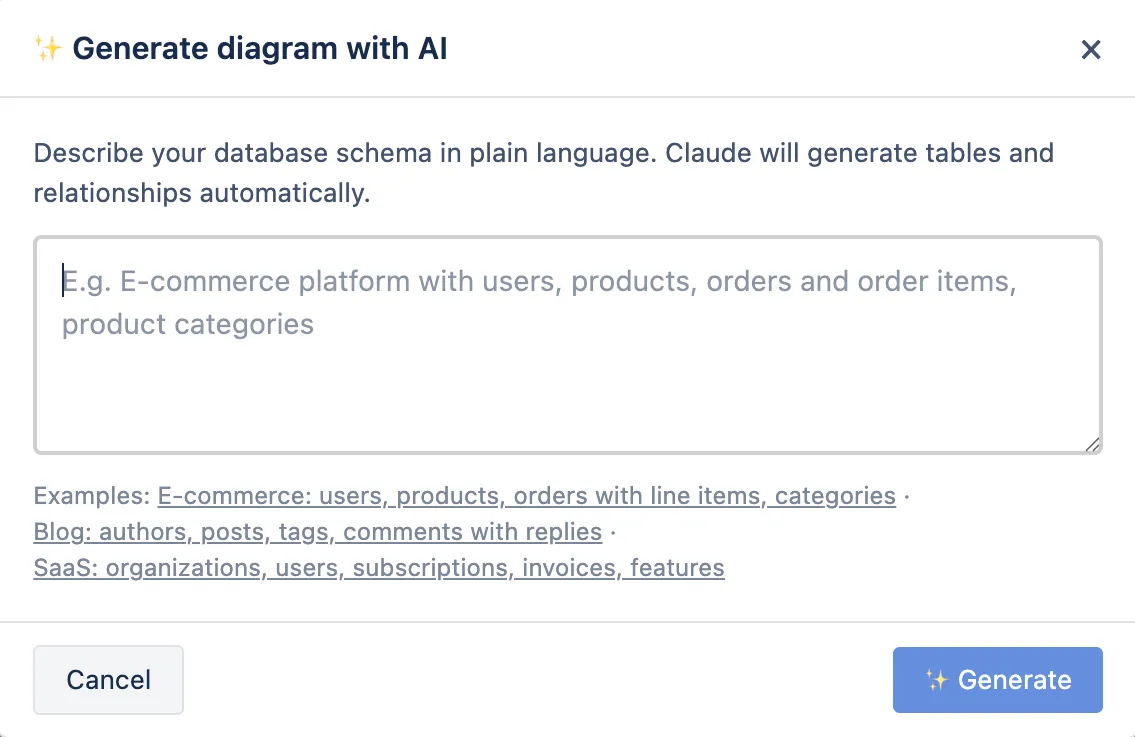
Click Generate and describe what you're building — "a multi-tenant SaaS with users, teams, subscriptions, and audit logs" — and the macro calls Claude to produce a complete PostgreSQL schema, which it immediately renders as a diagram.
The AI understands FK relationships, adds
id primary keys and
created_at timestamps, and uses
appropriate types. You get a working starting point in
10 seconds, then refine by hand.
Runs on Atlassian
Database Schema Diagram is built on Atlassian Forge, qualifying it for the Runs on Atlassian designation. Your table definitions — including proprietary schemas for unreleased products — never leave Atlassian's infrastructure. No third-party AI gateway in the cloud, no SQL uploaded to an external server.
The AI generation calls Claude via Forge's built-in @forge/llm — the model runs on Atlassian's infrastructure, not on a shared API key we manage.
A live diagram in your Confluence page
Most Confluence diagramming tools store a static image. Database Schema Diagram renders a live React Flow viewer directly on the page — pinch to zoom, drag to pan, hit fullscreen to see the whole schema.
The viewer respects the exact layout and colors from your last edit. Readers see the same interactive canvas editors use, just without the edit controls.
Who uses it
Backend engineers documenting migrations
Keep the schema in the same Confluence space as the ADR that justified it. Paste the migration SQL, save, done. The diagram is always one click from the decision record.
Onboarding new engineers
A visual ER diagram is worth ten minutes of "just look at the models folder." New hires understand the data model before writing their first query.
Architecture & data reviews
Present the current schema in review meetings without a separate draw.io or Miro board. The diagram lives where the decisions live — in Confluence.
API and integration design
Share the canonical data model with frontend teams, partners, or integration vendors without exporting anything. They see exactly what fields exist and how tables relate.
In October 2021 we were deeply moved by the situation at the Polish-Belarus border where thousands of people were trapped at the center of an intensifying geopolitical dispute.
We decided to pay 10% of our revenue (not profit, revenue) to a coalition of human rights organizations Border Group. The group includes people we know in person, as well as members of the Helsinki Foundation for Human Rights.
In February 2022 the border crisis seemed to shade. But as we all know it was replaced by something much worse. We hoped we would never use word “war” in this context.
We donate help for fighting Ukraine. Either through NGOs or via our network of friends who are personally involved in the matter.