June 24, 2026
Jira reports without JQL: ask your data in plain English
AI Reports for Jira translates plain-text questions into JQL, runs the query against your real issues, and returns a chart or KPI — no query language required.
How many times have you opened a Jira filter, stared at the JQL box, and decided it was faster to ask an analyst? JQL is powerful, but “what’s overdue in the PROJ project, by assignee” shouldn’t require knowing the syntax for that.
AI Reports for Jira lets you type the question instead of writing the query.
How it works
Type a question in plain text. The app translates it into JQL using Claude (Atlassian’s
@forge/llm — no external API key, no third-party service), runs the query against your
actual Jira issues, and picks the right chart type automatically.
- “Open bugs by priority in PROJ” → bar chart
- “Issues closed per week over the last 3 months” → line chart with weekly granularity
- “How many stories are unassigned in the current sprint?” → single KPI number
- “What’s assigned to me and overdue?” → sortable issue table
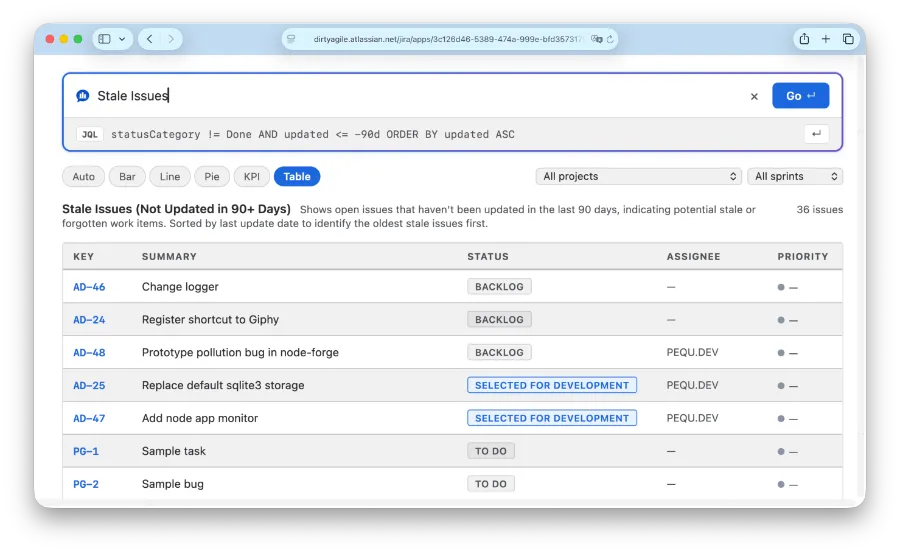
The JQL the app generates is shown before the chart renders — you can inspect it, edit it if needed, or save the question as a named report to reuse later.
The data is real, not estimated
The chart is built from the same Jira issue data you’d see in a manual JQL search. The AI translates your question into a query — it doesn’t summarize or guess the results. Permissions work normally: if you can’t see an issue in Jira, it doesn’t appear in the chart.
Save once, view anywhere
Once you save a question as a report, you can place it in two ways:
Jira dashboard gadget — add the AI Jira Report gadget to any dashboard. The report re-runs the JQL on each load and refreshes the chart with current data — no AI tokens spent on the re-run.
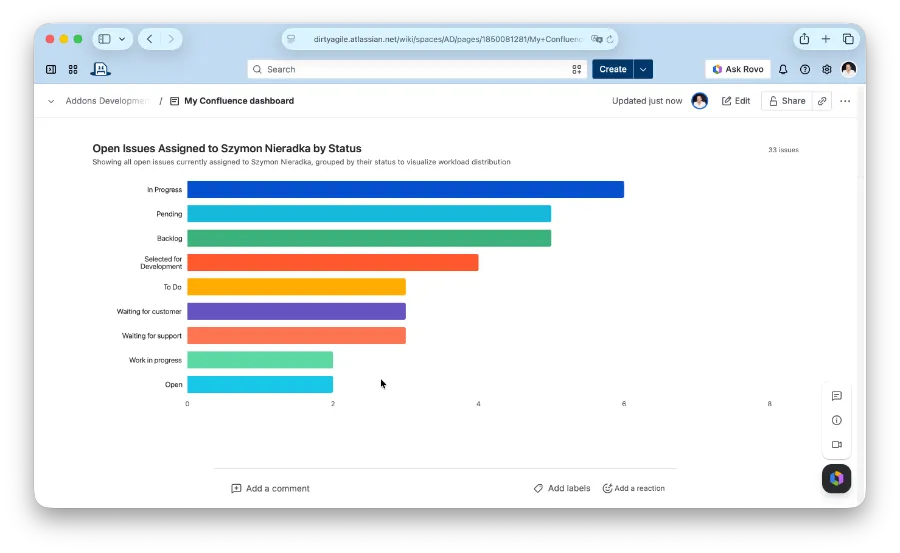
Confluence macro — insert the AI Jira Report macro on a Confluence page and pick a saved report. Works the same way: live data, refreshed on each page view.
Data stays inside Atlassian
AI Reports runs on Atlassian Forge. Your questions and Jira issue data are processed through
Forge’s built-in @forge/llm — not routed through a third-party AI gateway. There’s no API
key to manage and no external server to configure.
What to try first
A few questions that work well as a starting point:
- “Open issues by status in [your project key]”
- “Bugs reported this month by severity”
- “Stories assigned to me not updated in 7 days”
- “Velocity: story points completed per sprint over the last 6 sprints”
Install the app, open Apps → AI Reports for Jira, and type one of those.
This post is about
AI Reports for Jira and Confluence
Ask your Jira data questions in plain text, get a chart or KPI back.