
Archive Repositories in Bitbucket Cloud
Bitbucket Data Center has had this since version 8.0. Bitbucket Cloud still doesn't. Repo Archiver for Bitbucket Cloud adds a real archived state: move dead repos out of the way, block merges into them, and tell anyone who stumbles onto one that it's retired.
Most workspaces end up with dozens of abandoned repos cluttering search, navigation, and the repository list — forks nobody finished, services that got decommissioned, experiments that never shipped. Bitbucket Cloud has no native way to flag any of them as inactive, so they just stay there, indistinguishable from active work.
Real archiving, not just a label
Archiving isn't just a flag nobody else can see.
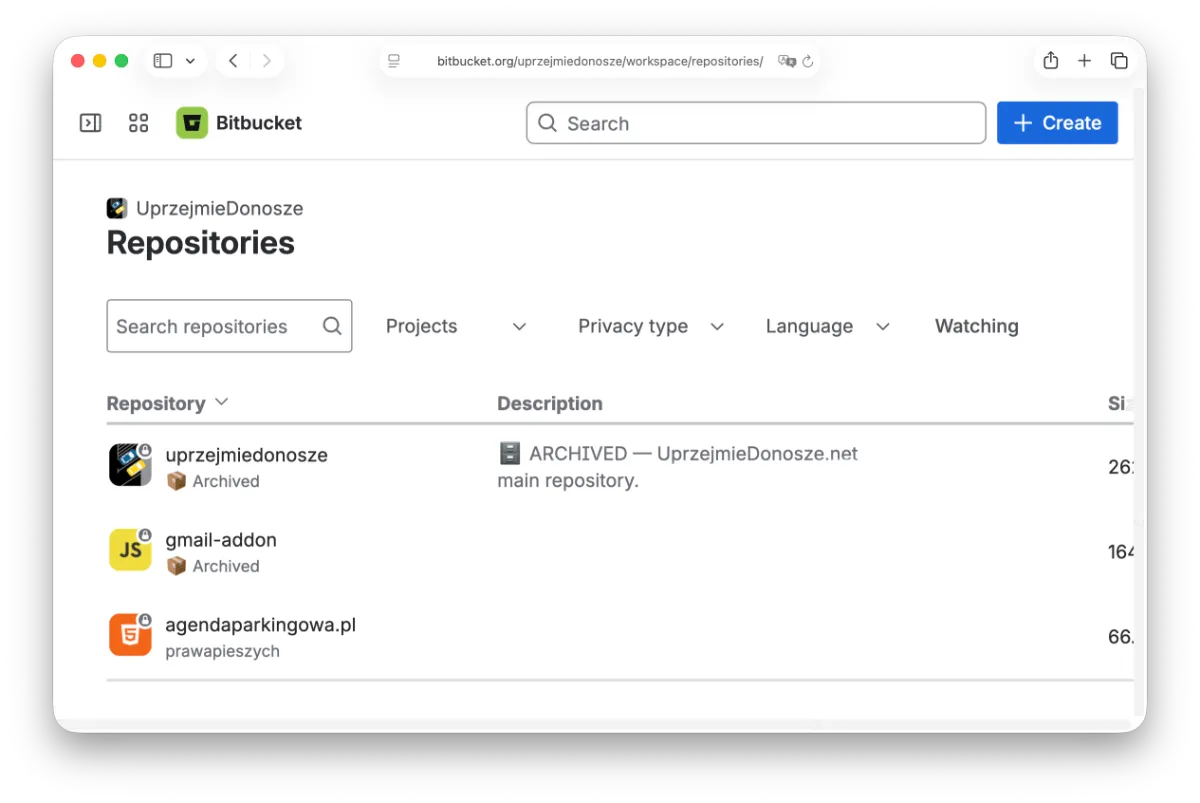
Archiving a repository moves it into a dedicated 📦 Archived project — out of your default project lists, search results, and navigation, without deleting anything. Unarchive it and it moves right back to where it came from.
Blocks merges automatically
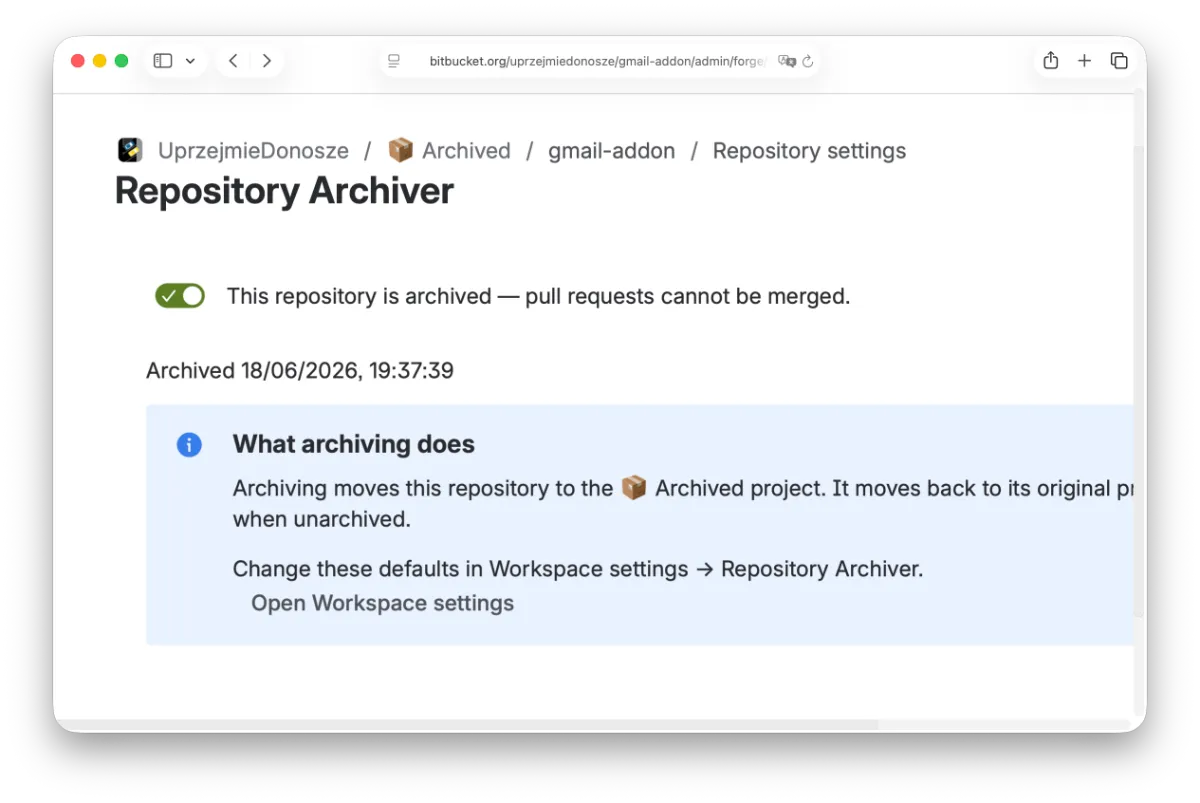
An archived repository can't quietly keep accepting code. Repo Archiver for Bitbucket Cloud wires into Bitbucket's merge checks, so any pull request into an archived repo fails until it's unarchived.
No separate policy to remember, no manual branch lock to set on every repo — it's enforced automatically, every time.
Visible to anyone who finds it
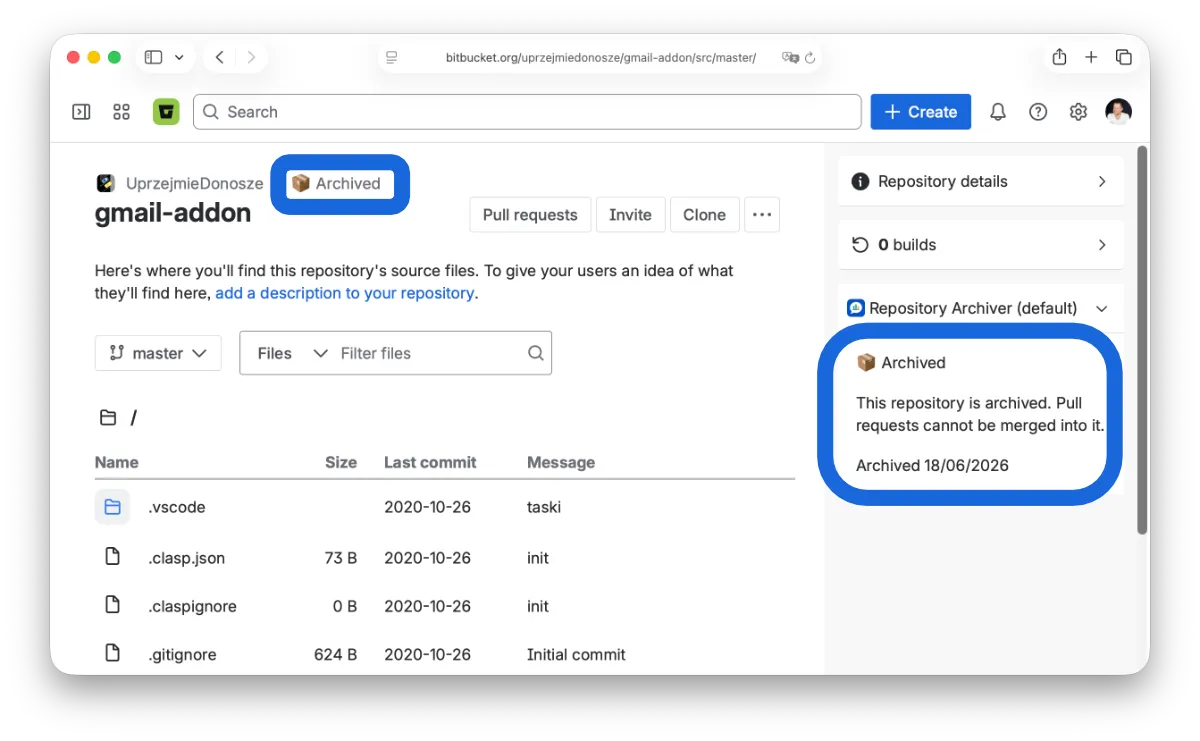
Land on an archived repository's Source page and you'll see a clear 📦 Archived notice before you start digging through stale code.
Open a pull request against one and the same context follows you there — so nobody wastes an afternoon reviewing a change that was never going to merge.
Runs on Atlassian
Repo Archiver for Bitbucket Cloud is built on Atlassian Forge, qualifying it for the Runs on Atlassian designation. Archive state and workspace settings are stored via Forge Storage, inside Atlassian's own infrastructure.
There's no external server, no third-party API, and nothing to configure. Install the app and your data never leaves Bitbucket.
Learn about Runs on Atlassian →One product, installed in two places
Repo Archiver for Bitbucket Cloud is one product, installed in two places: a Bitbucket app where the actual archiving and merge-blocking happen, and a companion Jira app that surfaces which repos are stale or already archived from a Jira global page.
They're separate Forge apps under the hood — Bitbucket-only apps currently can't be listed on the Atlassian Marketplace — but from your team's side it's one workflow under one name: spot a stale repo in Jira, archive it in Bitbucket.
Who uses it
Platform & DevOps teams
Retire decommissioned services properly: archive the repo the day a service goes away, instead of leaving it to rot at the top of the repository list.
Engineering leads cleaning up a workspace
Run a quarterly cleanup pass from Workspace settings: filter, select, and bulk-archive every repo that hasn't shipped in a year, without deleting any history.
Teams mid-migration
Archive the old repo the moment a migration to a new stack or monorepo lands, so new hires don't accidentally clone the wrong one.
Open-source maintainers
Mark a side project as no-longer-maintained without taking it down — visitors get a clear signal, and any stray pull requests get blocked automatically.
How to archive a repository in Bitbucket Cloud
Does Bitbucket Cloud have a built-in "archive repository" feature? ▼
No. Bitbucket Data Center added a native archived state in 8.0, but as of today Bitbucket Cloud has no equivalent — there's no archive toggle in repository settings, and it remains an open, long-standing feature request. Cloud gives you three native options only: delete the repository, make it private, or leave it in place. Everything below is about the fourth option — retiring it without losing it.
How do I archive a repo in Bitbucket Cloud manually, without an app? ▼
There's a workable manual recipe, and it takes about five minutes per repo:
- Move the repository into a dedicated project (Repository settings → Repository details → Project) named something like "Archived", so it drops out of your day-to-day project lists.
- Add a branch restriction covering all branches (
**) that denies write access to everyone, which stops new pushes and merges. - Edit the README to say the repo is retired, when, and where the work moved.
The downsides: it's per-repo manual work, the branch restriction is easy to forget or undo, and nothing tells someone who lands on a pull request that the repo is dead. Repo Archiver for Bitbucket Cloud automates exactly these three steps.
Will archiving change the repository URL, or break existing clones and CI? ▼
No. In Bitbucket Cloud a repository's URL is workspace/repo-slug — the project it belongs to is metadata, not part of the path. Moving a repo into an "Archived" project leaves clone URLs, existing local remotes, deep links, and pull request URLs working exactly as before. Nothing is deleted and no history is rewritten.
How do I make an archived repository read-only so nobody merges into it? ▼
Natively, a branch restriction on ** denying write to all users and groups is the closest you get. Repo Archiver for Bitbucket Cloud instead registers a Bitbucket merge check, so every pull request into an archived repository fails its checks until the repo is unarchived — one workspace-level behaviour instead of a per-repo permission rule you have to remember to apply and remove.
Can I archive many Bitbucket repositories at once? ▼
Yes, with Repo Archiver for Bitbucket Cloud: Workspace settings → Repo Archiver lets you filter and bulk-archive multiple repositories in one pass, which is what a quarterly cleanup actually needs. Natively there's no bulk operation — you'd repeat the manual steps above for each repository, or script it against the Bitbucket REST API.
How do I unarchive a repository, or find which repos to archive in the first place? ▼
Unarchiving is a single toggle: the repository moves back to its original project and the merge check is released — nothing to undo by hand. To decide what to archive, the companion Jira app lists every repository across your workspaces classified as Active, Stale (no commits or pull request activity in 90+ days), or Archived, so you can work from a list instead of memory.
Ready to archive your stale repos?
In October 2021 we were deeply moved by the situation at the Polish-Belarus border where thousands of people were trapped at the center of an intensifying geopolitical dispute.
We decided to pay 10% of our revenue (not profit, revenue) to a coalition of human rights organizations Border Group. The group includes people we know in person, as well as members of the Helsinki Foundation for Human Rights.
In February 2022 the border crisis seemed to shade. But as we all know it was replaced by something much worse. We hoped we would never use word “war” in this context.
We donate help for fighting Ukraine. Either through NGOs or via our network of friends who are personally involved in the matter.