Easy Math Equations for Confluence
The easiest way to insert LaTeX equations, math formulas, and math symbols into Confluence.
How to write LaTeX math equations in Confluence
- Insert the macro. In any Confluence page, type
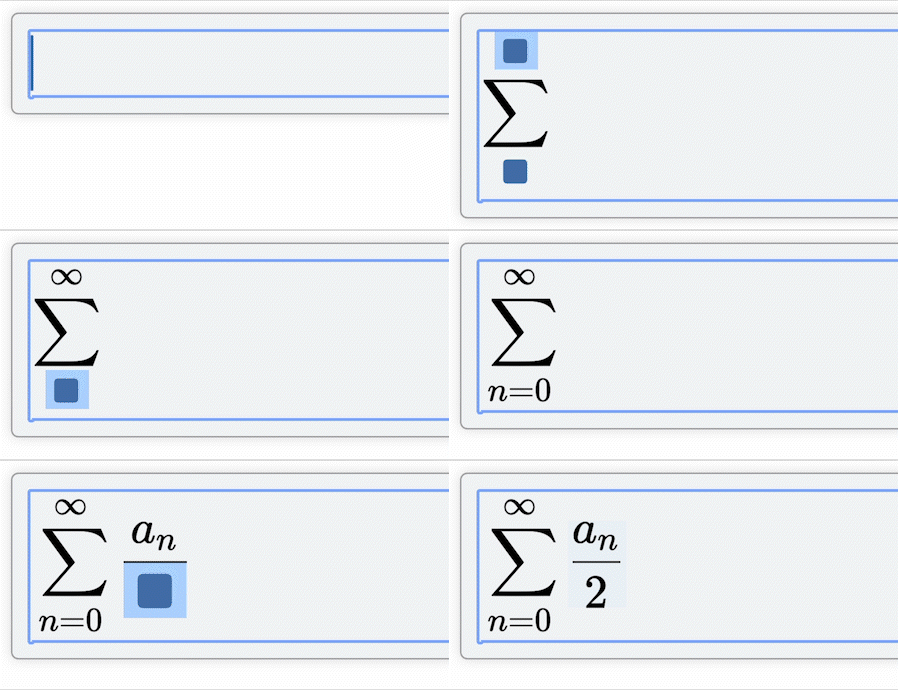
/mathor/easywhile editing. This opens the equation editor directly on the page — no separate app window. - Choose inline or display mode. Inline math sits inside a sentence, like \(E = mc^2\). Display math breaks onto its own line and centers the equation — the right choice for anything with a fraction, sum, or integral that needs room to be readable.
- Write the formula. Type
sqrt,sum,int,alpha,piand it converts to the matching symbol as you go — or paste LaTeX straight from a paper or another renderer, and it renders immediately.
Easy to use
Easy and intuitive to use with a what-you-see-is-what-you-get editor.
Inline and display math in Confluence
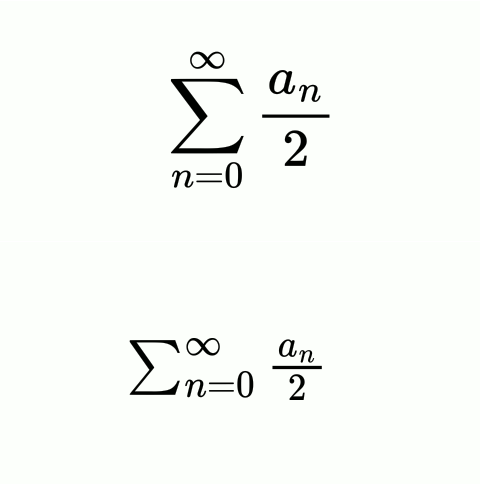
Display mode for beautiful, full-size equations.
Inline mode is ideal for compact equations that fit your text.
Import existing LaTeX and MathML
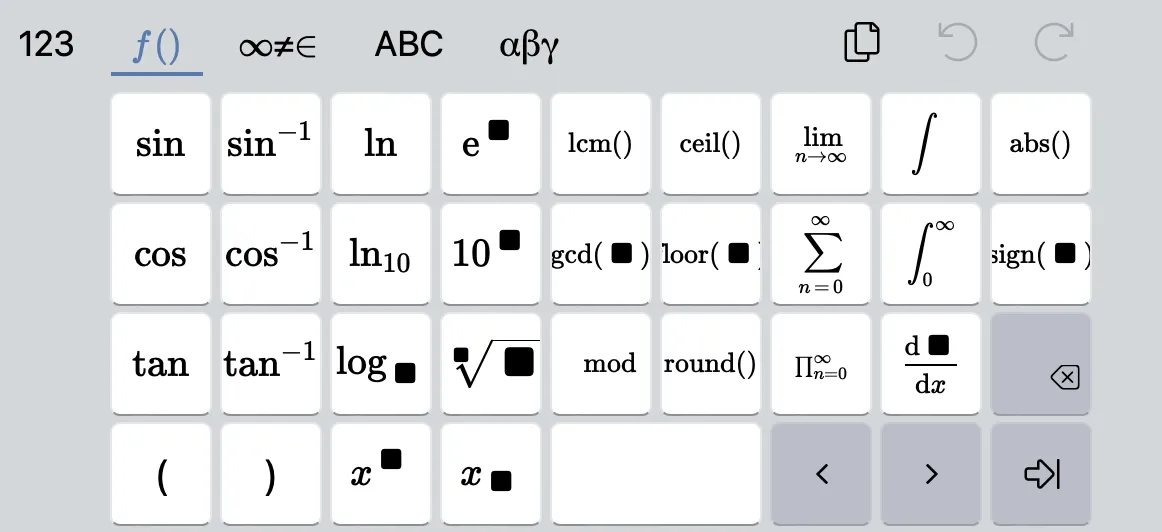
Use shortcuts and macros to type fast. Switch to a handy keyboard for less common figures.
Latex and MathML supported.
Math symbol shortcuts
The editor has a visual math-field — type any of these triggers and it converts to the matching symbol as you go, so you don't need to memorize LaTeX command syntax to get started.
| Trigger | Result |
|---|---|
alpha | α |
pi | π |
infty | ∞ |
sqrt | Square root |
sum | ∑ |
int | ∫ |
>= | ≥ |
!= | ≠ |
Export to Word and PDF
Confluence's built-in Word and PDF export renders the equation exactly as it appears on the page — same layout, same symbols, no broken fonts or dropped characters. Equations render correctly with no broken symbols or missing fonts, whether the page ends up in a spec document or a PDF handout.
Runs on Atlassian
Easy Math Equations is built on Atlassian Forge, qualifying it for the Runs on Atlassian designation. All code runs exclusively on Atlassian's own infrastructure — your equation content never reaches any external servers or third-party services.
This makes Easy Math a safe choice for organizations with strict data residency requirements, enterprise security policies, or compliance obligations.
Learn about Runs on Atlassian →See how it works
Real example
This example theorem was written and is rendered by Easy Math Equations for Confluence. See it in action:
Fermat's little theorem states that if \(p\) is a prime number, then for any integer \(a\), the number \(a\) is an integer multiple of \(p\). In the notation of modular arithmetic, this is expressed as
If \(a\) and \(p\) are coprime numbers such that \(a\) is divisible by \(p\), then \(p\) need not be prime. If it is not, then \(p\) is called \(a\) (Fermat) pseudoprime to base \(a\). The first pseudoprime to base 2 was found in 1820 by Pierre Frédéric Sarrus: \(341\).
A number \(p\) that is a Fermat pseudoprime to base \(a\) for every number \(a\) coprime to \(p\) is called a Carmichael number (e.g. 561). Alternatively, any number \(p\) satisfying the equality:
is either a prime or a Carmichael number.
It's easy but powerful
Easy Math is simple to use, but that doesn't mean it's limited to simple cases. See some of the examples:
Frequently asked questions
Can I import existing LaTeX or MathML formulas?▼
Yes. Easy Math Equations is powered by LaTeX under the hood — copy and paste LaTeX directly into the math-field via the /easy or /math command, and it renders immediately.
How do I get to more advanced math symbols?▼
Enable the virtual keyboard in the editor and long-press a key to reveal more related symbols and advanced options.
Do my equations leave Atlassian's servers?▼
No. Easy Math Equations is built on Atlassian Forge and qualifies for the Runs on Atlassian designation — all processing happens on Atlassian's own infrastructure, and equation content is never sent to any external servers or third-party services. See what moving to Forge changed for the full migration story.
Is there a free tier?▼
Yes — Easy Math Equations has a free tier for small sites, and paid tiers that scale with the number of users on your Confluence instance. Pricing is shown on the Marketplace listing before you install.
Does it work on Confluence Data Center, or only Cloud?▼
This Forge-based version is Cloud-only. A separate Connect-based release covers Data Center and Server, with the same core editor.
What happens to my equations if I uninstall the app?▼
Nothing is deleted from your pages. Equations already inserted keep rendering as long as the app stays installed; if you uninstall, existing macros stop rendering but the underlying page content isn't touched — reinstalling brings them back.
Ready to write your first equation?
In October 2021 we were deeply moved by the situation at the Polish-Belarus border where thousands of people were trapped at the center of an intensifying geopolitical dispute.
We decided to pay 10% of our revenue (not profit, revenue) to a coalition of human rights organizations Border Group. The group includes people we know in person, as well as members of the Helsinki Foundation for Human Rights.
In February 2022 the border crisis seemed to shade. But as we all know it was replaced by something much worse. We hoped we would never use word “war” in this context.
We donate help for fighting Ukraine. Either through NGOs or via our network of friends who are personally involved in the matter.