
JSM Portal Extras
See who's working on it, whether it's meant to be shared, and what else it's connected to — right on the Customer Portal, where Jira shows none of that by default.
The Jira Service Management Customer Portal hides the assigned agent, gives customers no signal about whether a request type should be kept private, and never mentions linked or duplicate requests. JSM Portal Extras adds all three, without changing anything about how your service desk already works.
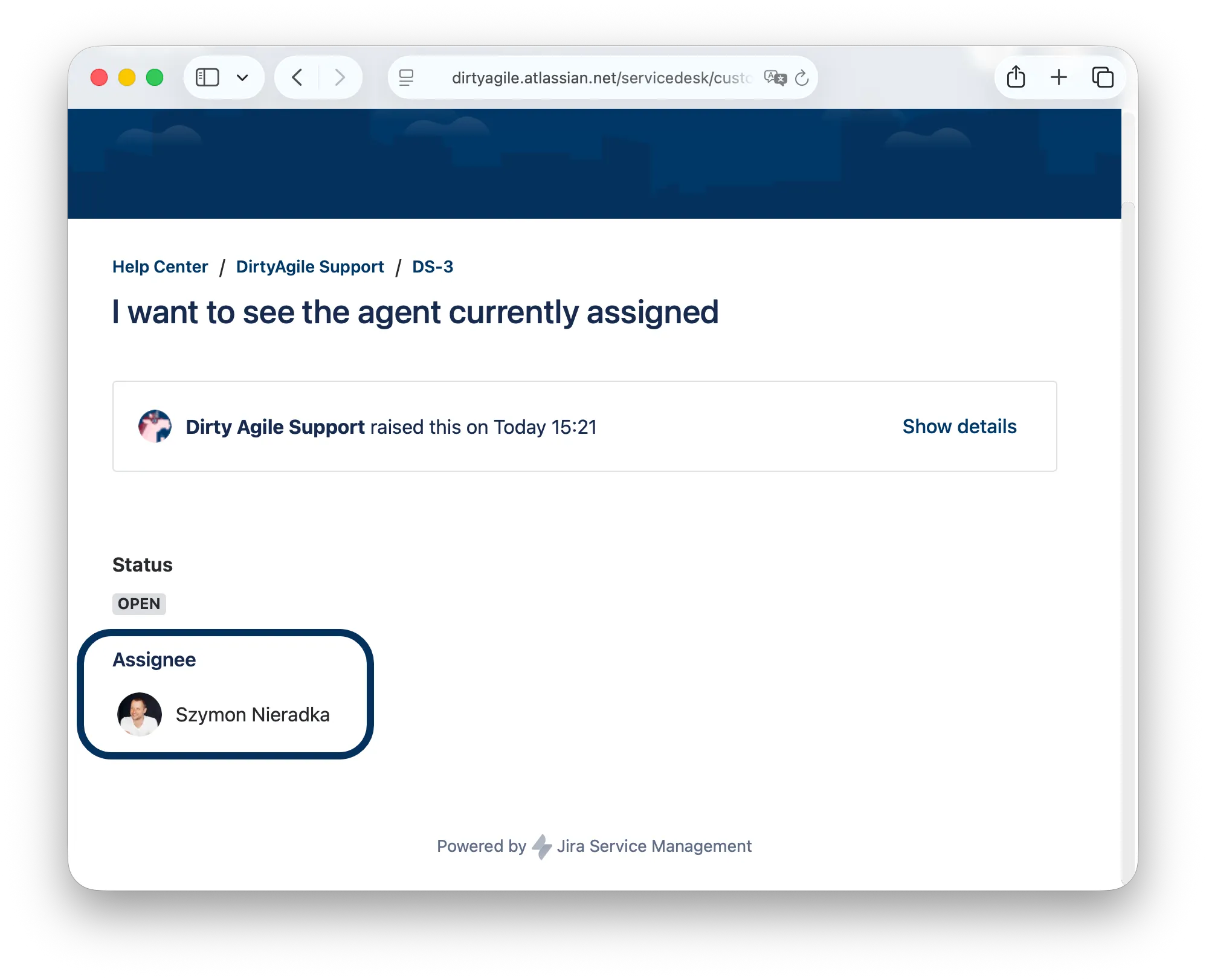
See who's actually working on it
Jira tracks the assignee. The Portal just doesn't show it.
JSM Portal Extras adds a panel to every request on the Customer Portal showing the agent currently assigned — with their name and avatar, the same way it appears inside Jira. No more "is anyone even looking at this?" follow-up tickets.
Revert sharing attempts
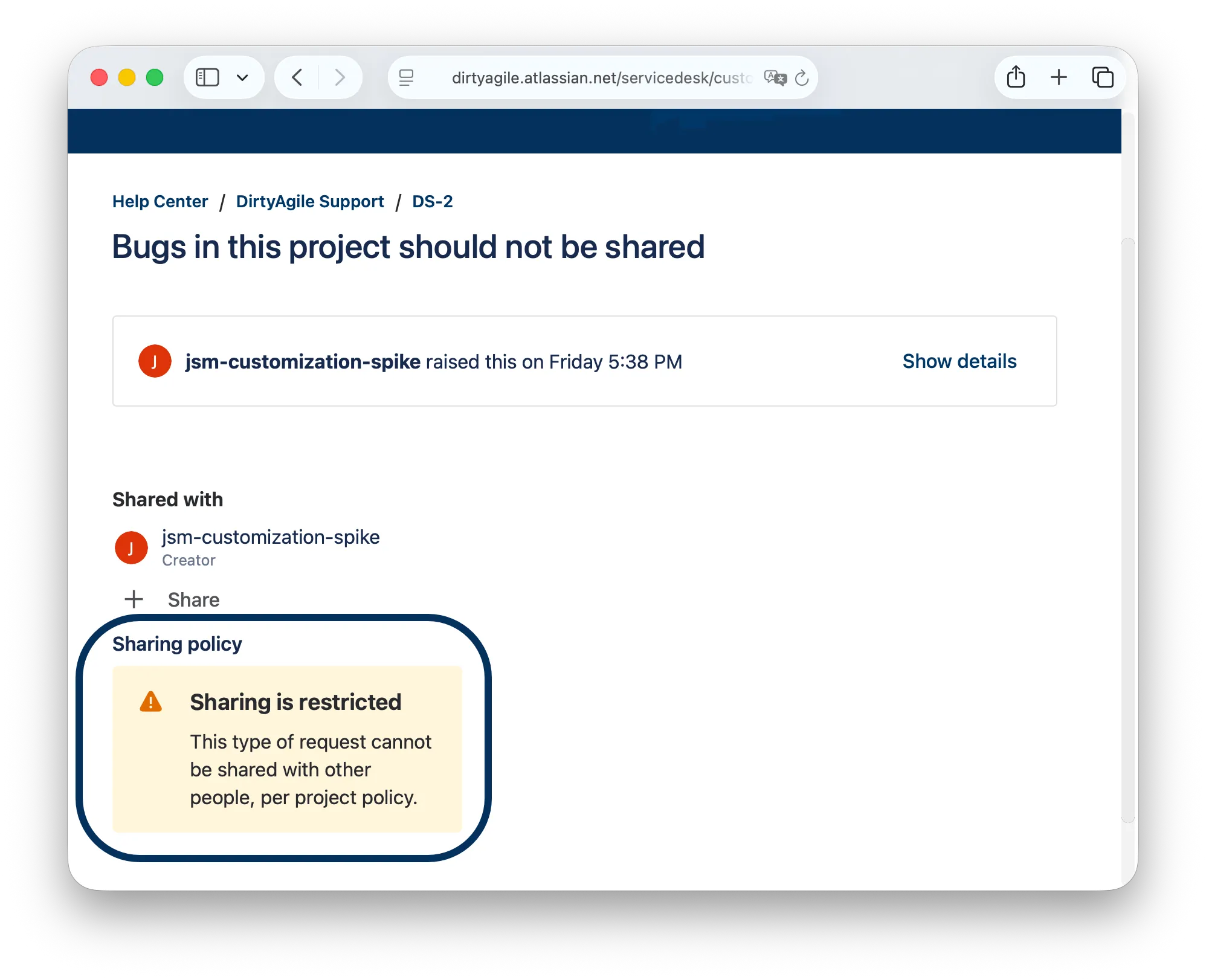
Jira's Customer Portal lets any requester share a request with other people by default — fine for most requests, not always fine for HR or compliance-sensitive ones.
Jira's platform gives apps no way to physically disable the native Share button, so JSM Portal Extras enforces the policy a different way: flag a request type as restricted, and the moment someone shares it anyway, the app detects the new participant and removes them again automatically.
Show customers what's already connected
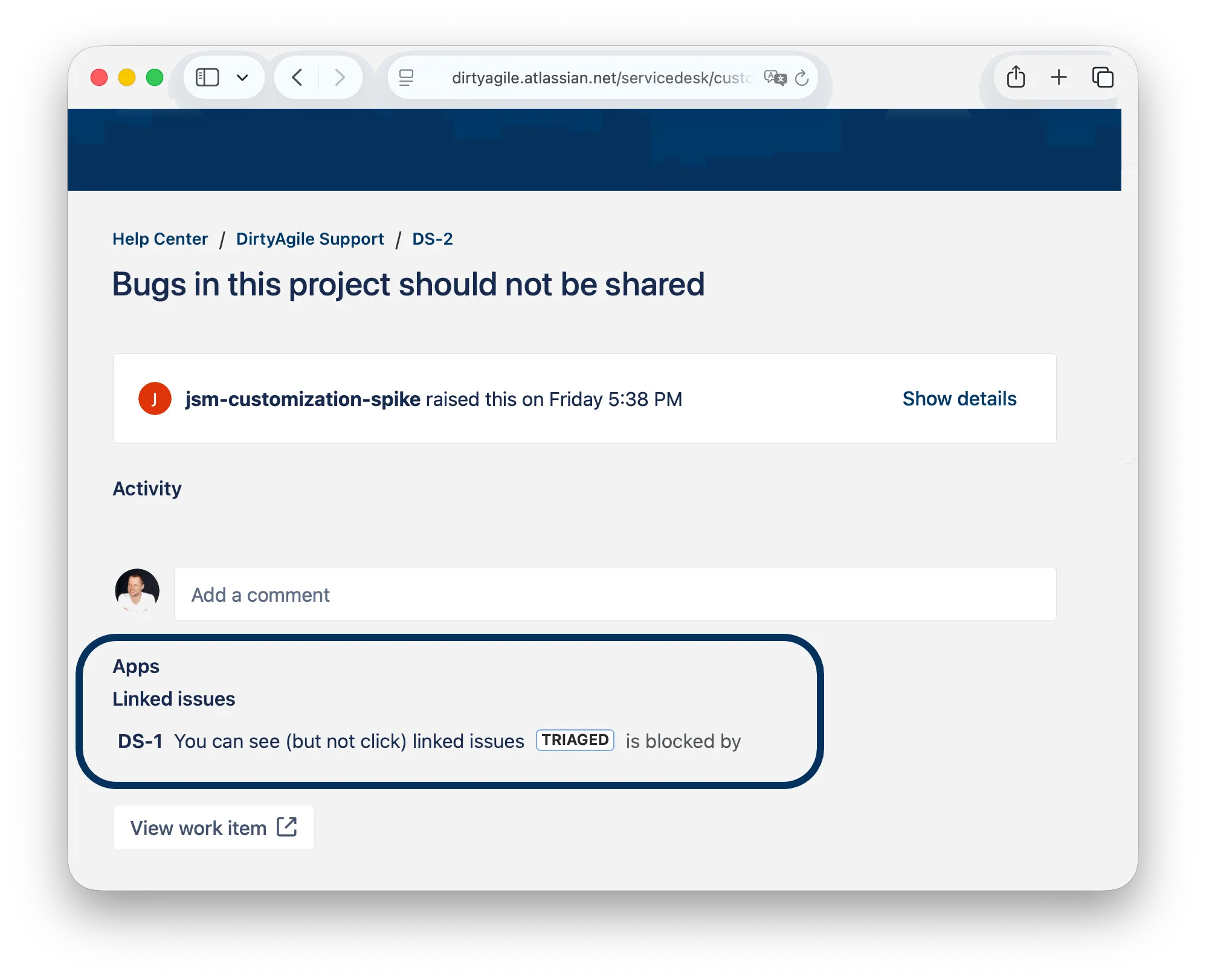
Jira links duplicate and related requests internally. The Portal has never mentioned it.
JSM Portal Extras adds a panel below the request's activity listing any issues linked to it — duplicates, related tickets, blockers — exactly the way agents already see them inside Jira, and only if the customer could already see it under Jira's own permissions.
Runs on Atlassian
JSM Portal Extras is built on Atlassian Forge, qualifying it for the Runs on Atlassian designation. The sharing policy flags are stored with Forge Storage — inside Atlassian's own infrastructure.
There's no external server, no API key, and nothing outside Jira to configure. Install the app and all three panels show up on your Customer Portal.
Learn about Runs on Atlassian →Who uses it
IT & internal helpdesk teams
Cut down on "any update on this?" comments by showing employees exactly who's already assigned to their request.
Teams with shared or rotating queues
When requests get picked up by whoever's free next, customers finally see who that was — instead of wondering if anyone's actually working their ticket.
HR & compliance-sensitive desks
Flag request types that shouldn't be forwarded — like HR cases or disciplinary requests — with a visible policy notice instead of relying on people to just know.
JSM admins improving Portal trust
Make the Customer Portal feel like it's actually keeping customers informed, instead of a black box between "submitted" and "resolved."
In October 2021 we were deeply moved by the situation at the Polish-Belarus border where thousands of people were trapped at the center of an intensifying geopolitical dispute.
We decided to pay 10% of our revenue (not profit, revenue) to a coalition of human rights organizations Border Group. The group includes people we know in person, as well as members of the Helsinki Foundation for Human Rights.
In February 2022 the border crisis seemed to shade. But as we all know it was replaced by something much worse. We hoped we would never use word “war” in this context.
We donate help for fighting Ukraine. Either through NGOs or via our network of friends who are personally involved in the matter.